Step-by-step guide
Learn it in five minutes
Pick a tab and play through real situations, one step at a time — every screenshot is the actual extension.
Snippets, vocabulary, page notes and a daily task list — all in one elegant Chrome popup. Privacy-first, offline-ready, free to use.
Stop juggling note-taking apps, sticky notes, clipboard managers and a separate to-do app. Markpad consolidates what a knowledge worker reaches for every day.
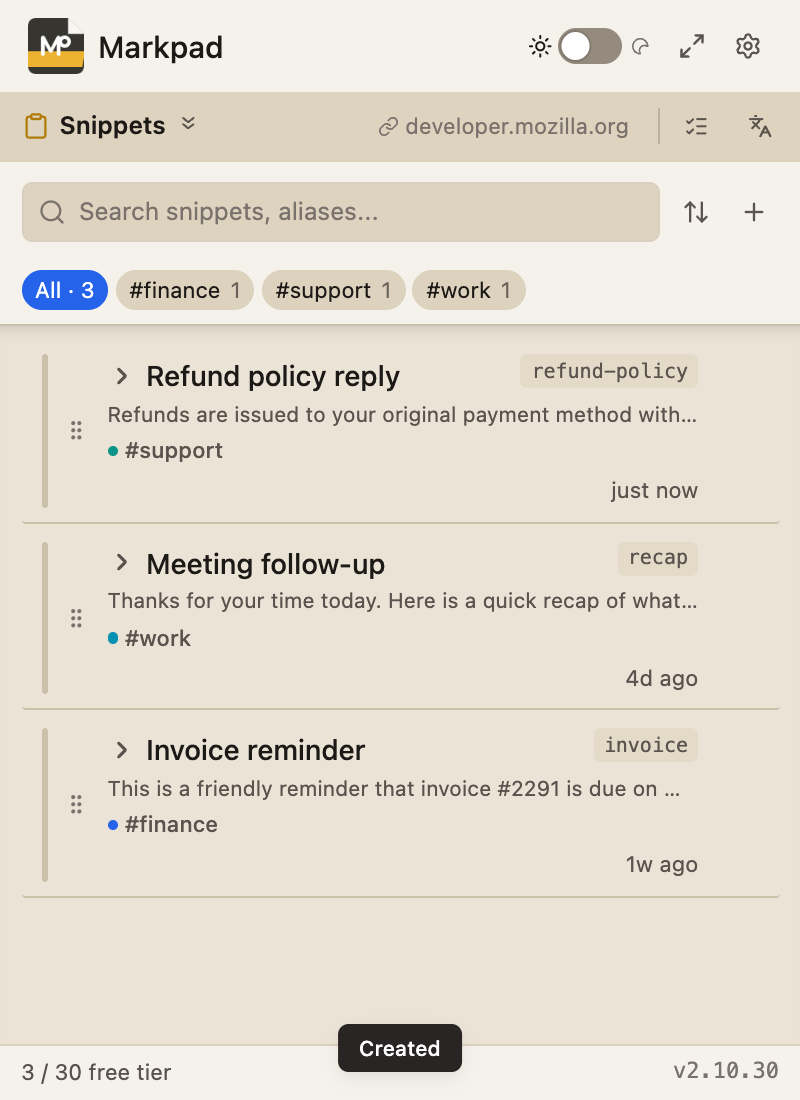
Save reusable text — email signatures, git commands, reply templates. One click to copy, or type #alias then Ctrl+Shift+K in any field to expand.
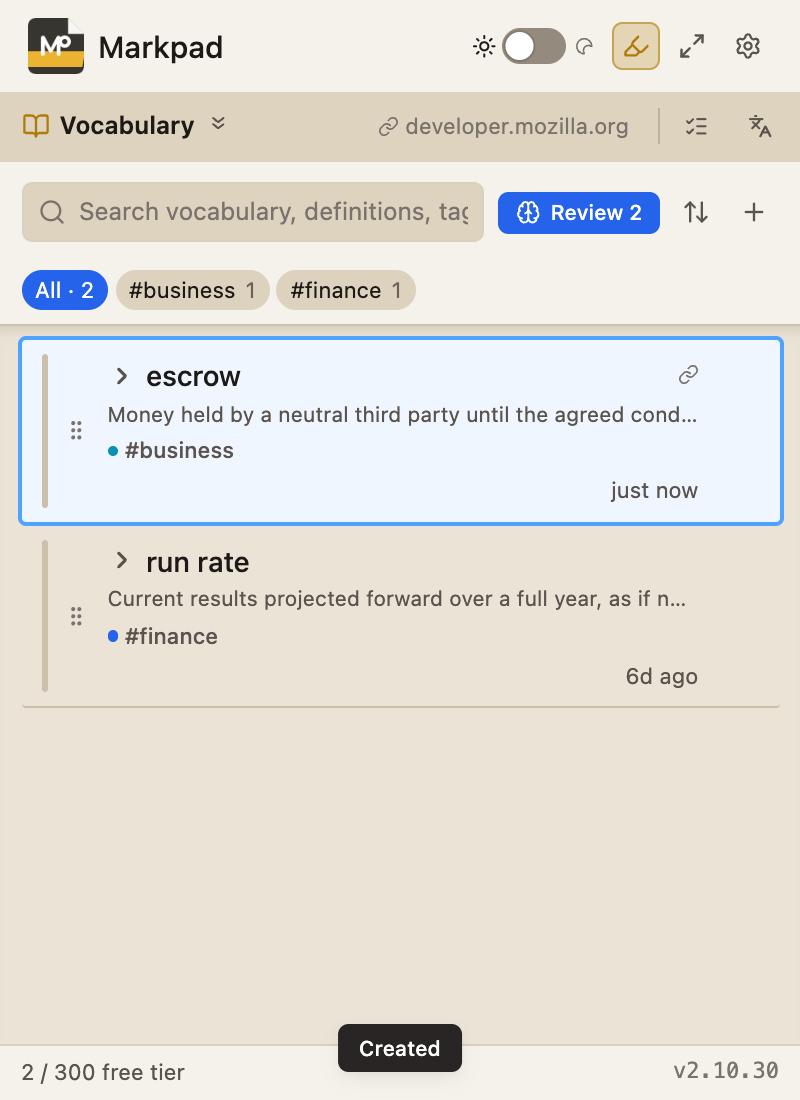
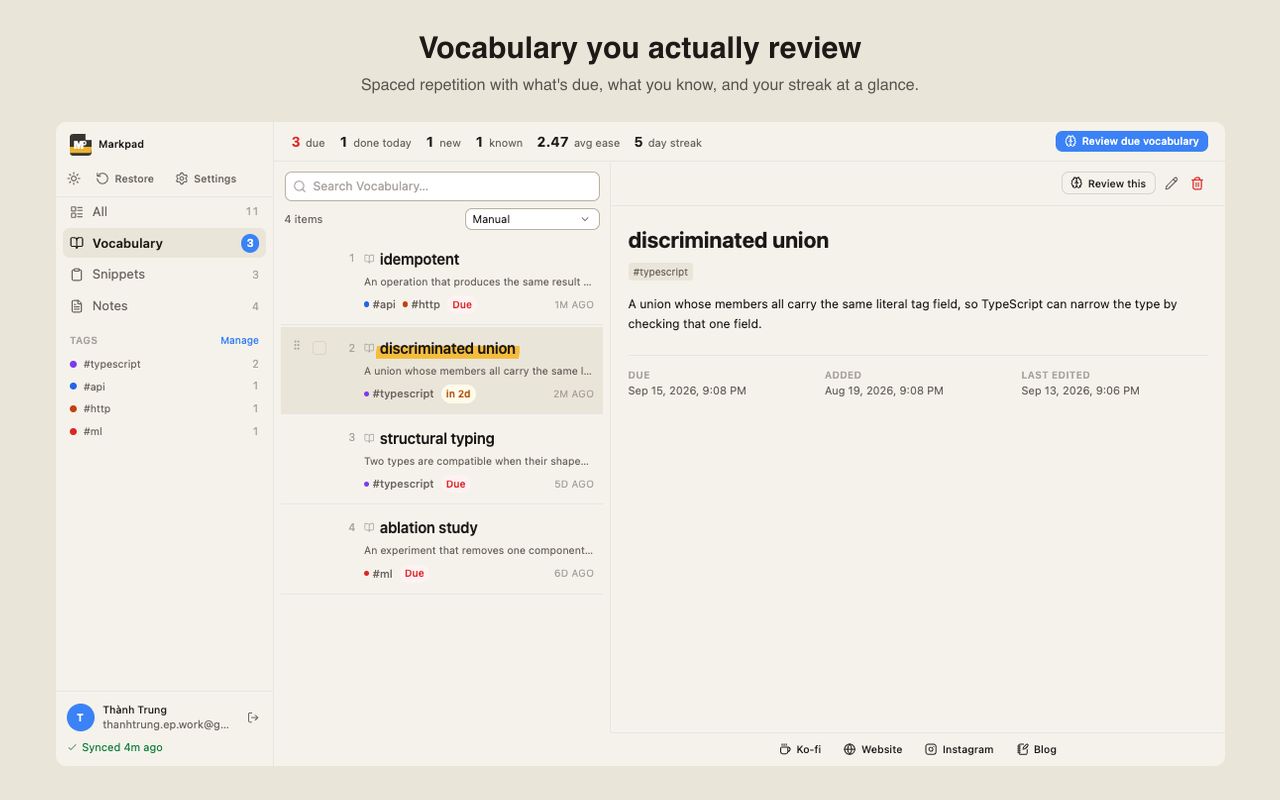
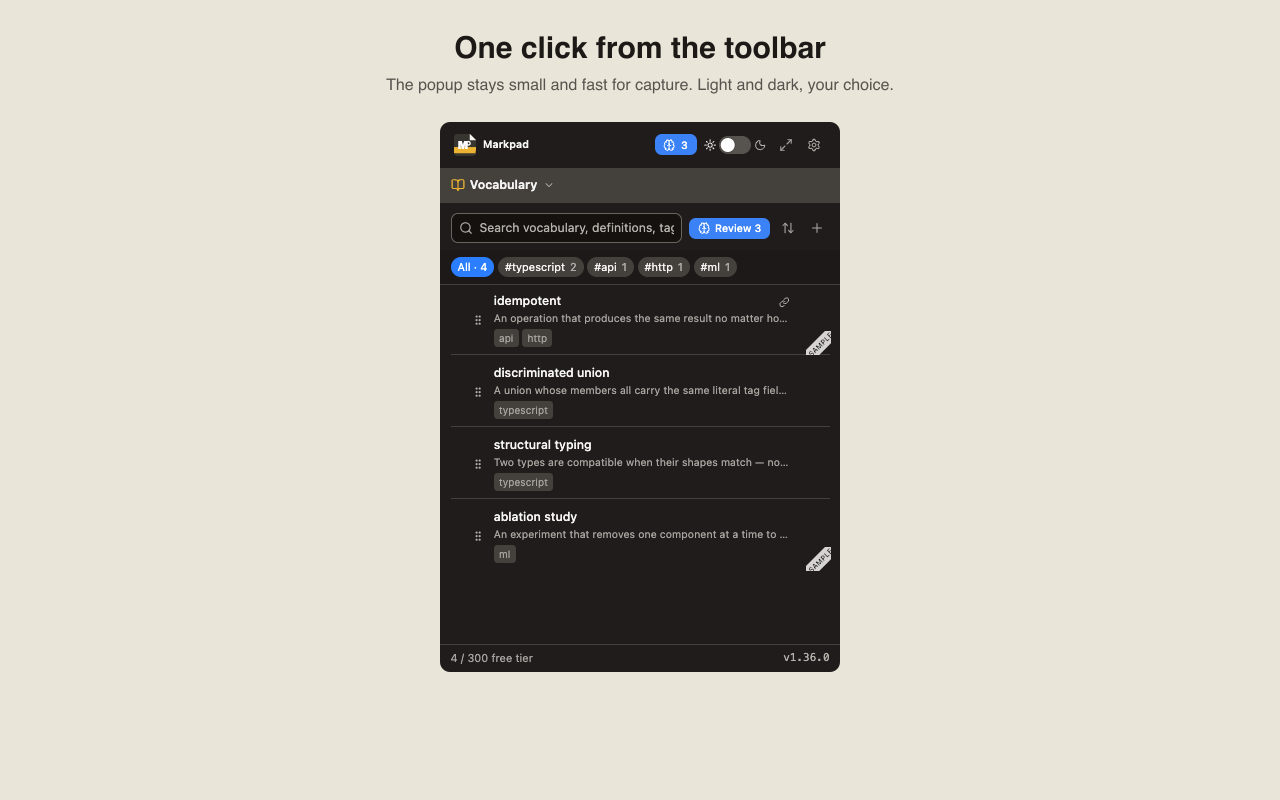
Your personal dictionary. Save term meanings as you read — recall anytime. Built-in spaced repetition (SM-2) helps you actually remember.
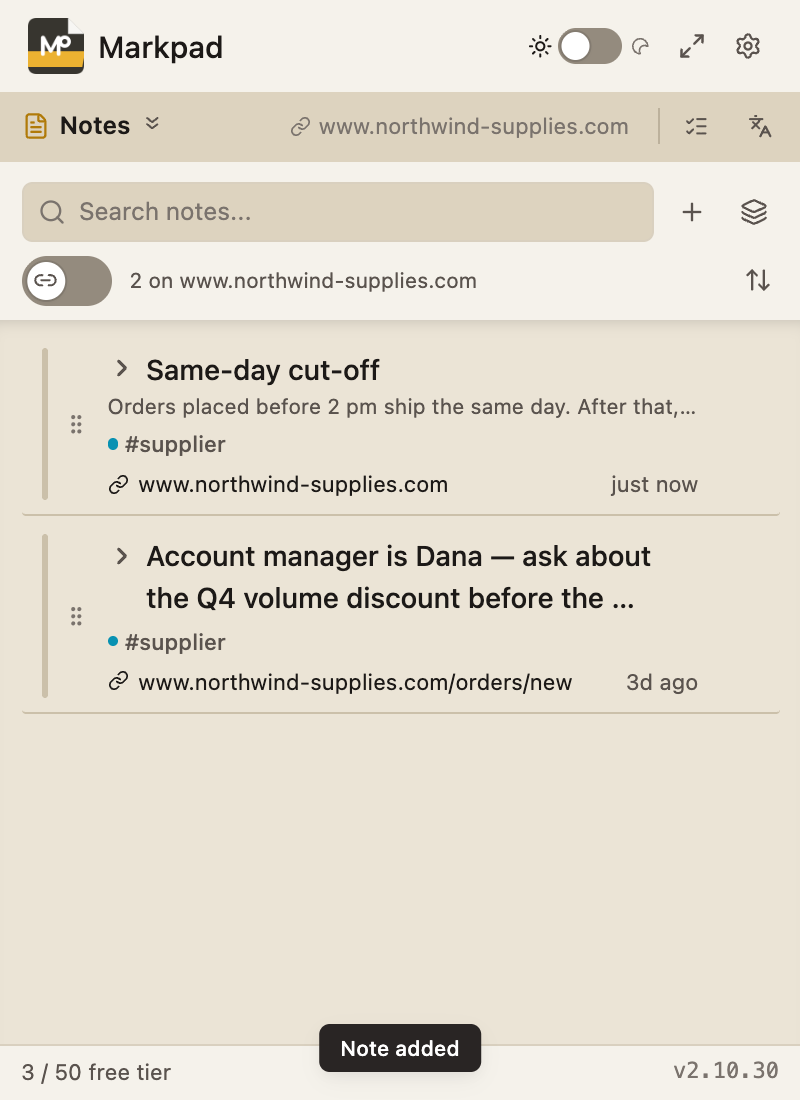
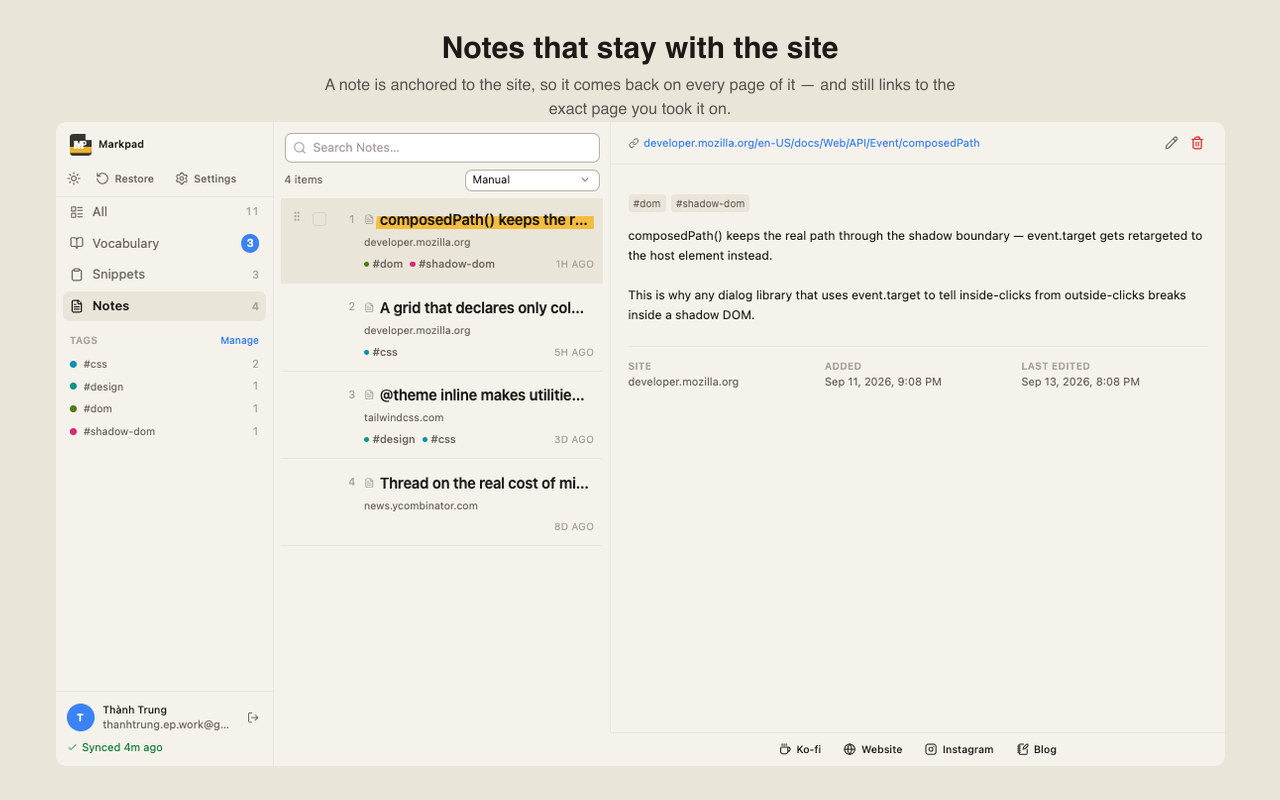
Notes pinned to a site: come back to any page on it and they are there. Or drop the link and a note becomes shared — it shows on every page, for the checklist that belongs to no particular domain.
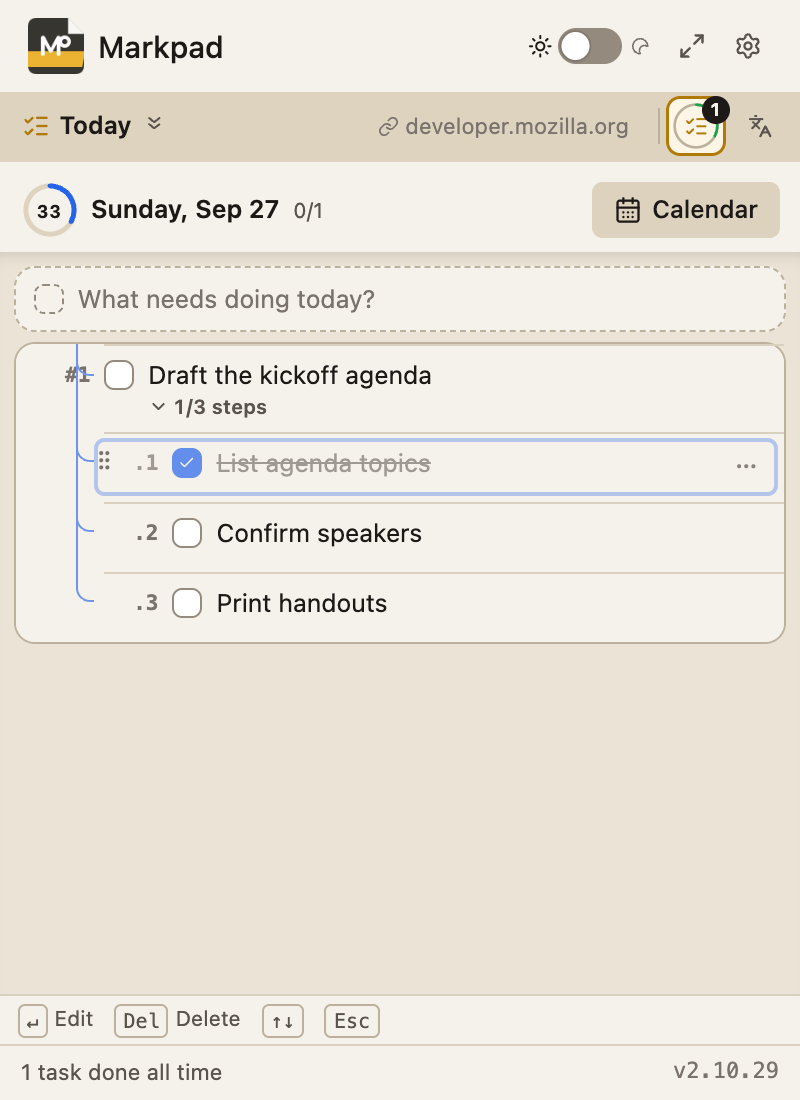
A task list that starts fresh every morning. Unfinished tasks come along in one click — no retyping, no red "overdue". Break a task into steps, star what matters, drag to reorder, and every task keeps a fixed number (#1, #2.1) you can refer to. Hit Start to time what you work on. Plan tasks for any day in the next five weeks, set tasks that repeat, and look back on a calendar of what you actually got done. Select text on a page to turn it into a task with a link back to where it came from.
Pin Markpad as a draggable sidebar on any page. Full popup features available without losing context. Toggle anytime via Settings.
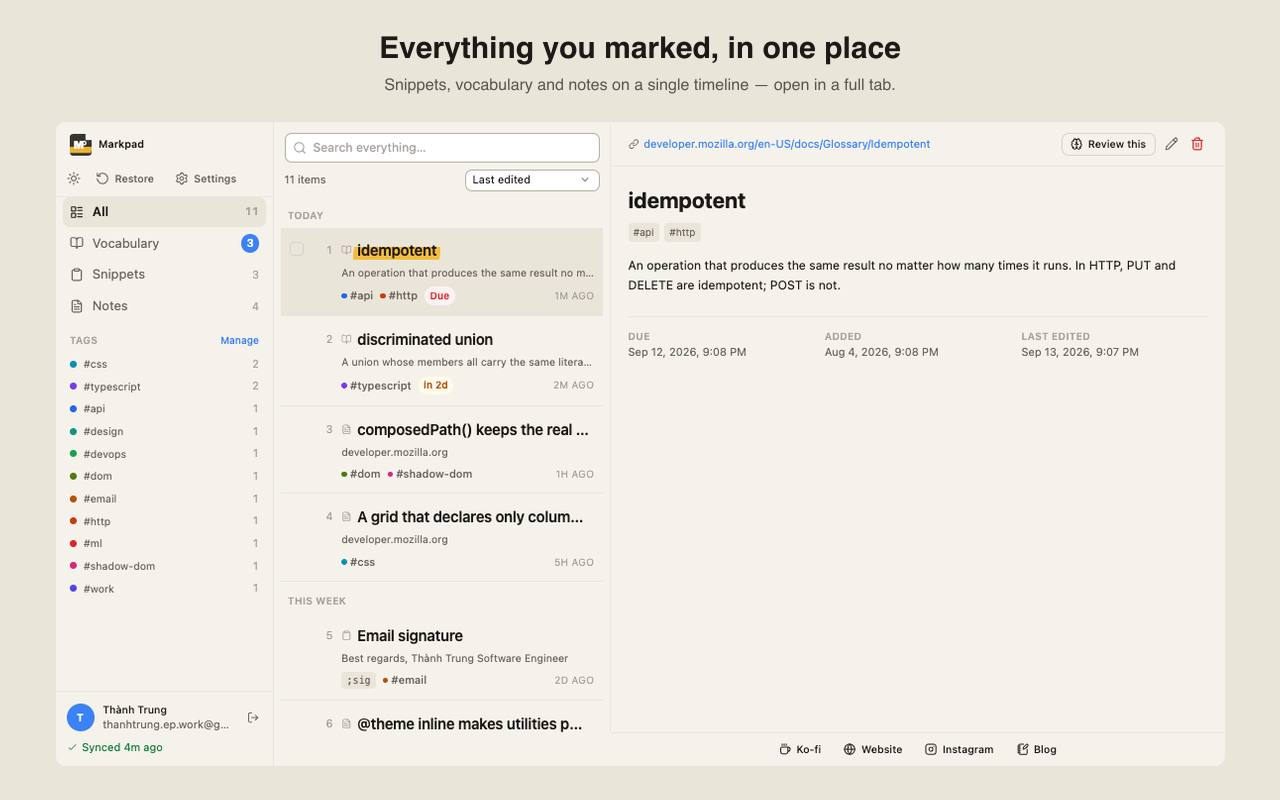
The popup is built for capturing. Open Markpad in a full tab when you want to go back through it: snippets, vocabulary and notes on one timeline, reading a note without losing the list, bulk tidy-up, tag colours, and review stats.
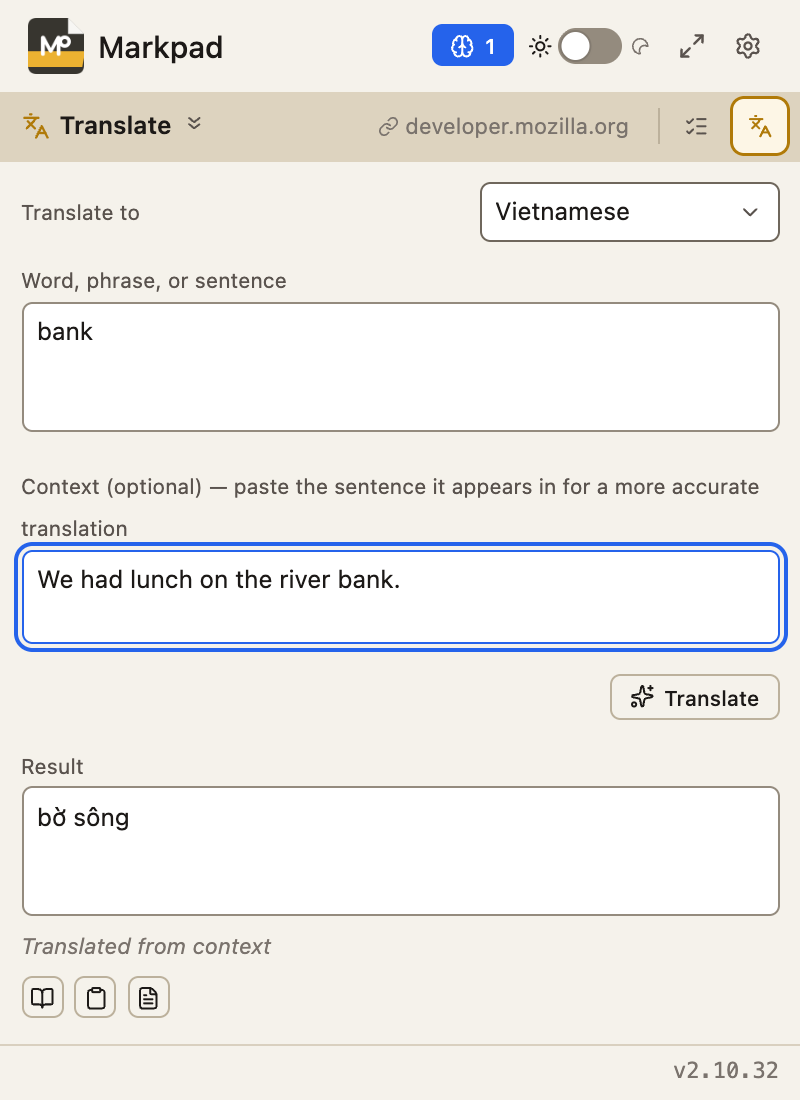
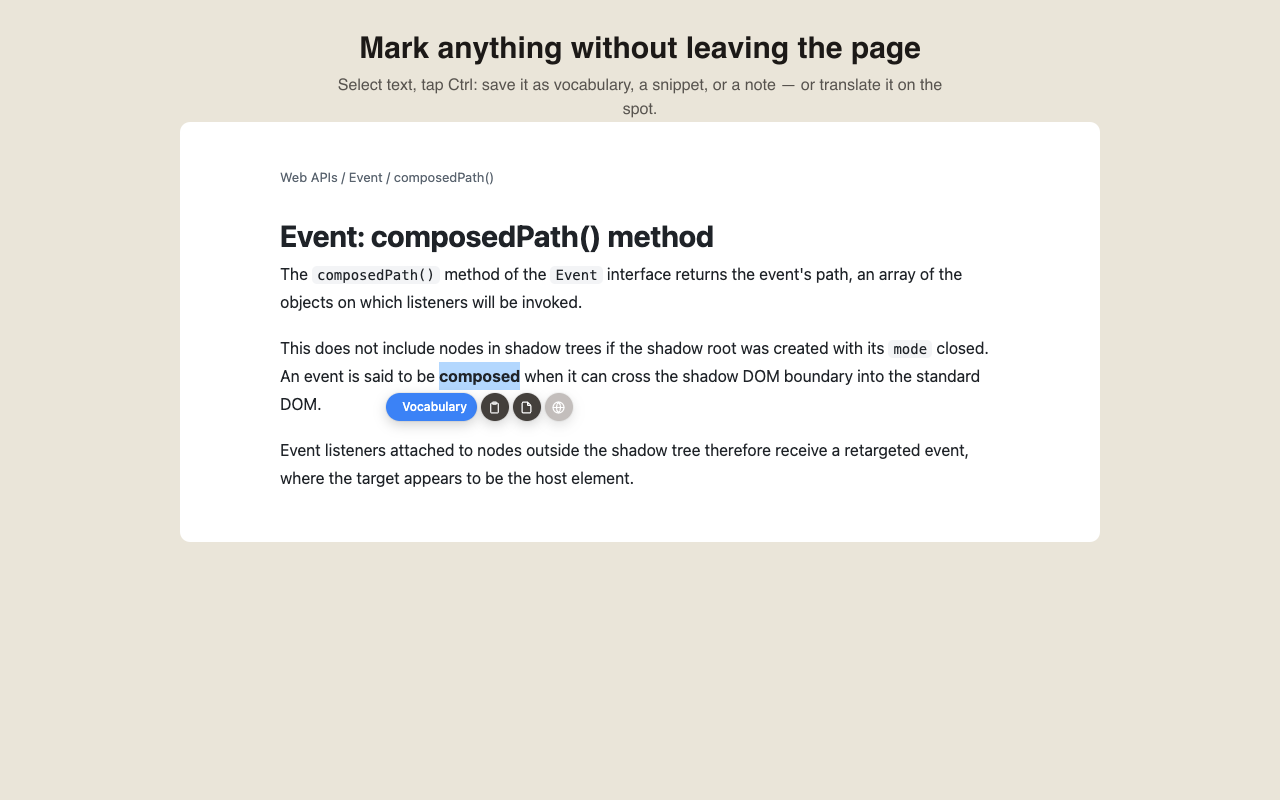
Highlight foreign text → translate inline, or translate a word in the context of its sentence. Edit before saving. 3 save destinations: Snippet, Term, Note. Runs on-device via Chrome's built-in AI Translator when supported, with an automatic secure online fallback otherwise — free either way, no API keys, no quota.
Sign in with your Google account and your snippets, vocabulary, notes and Today tasks follow you to every computer you use. Works offline and catches up when you are back online. Turn it off or remove everything from the cloud in one click — your data on this device is never touched.
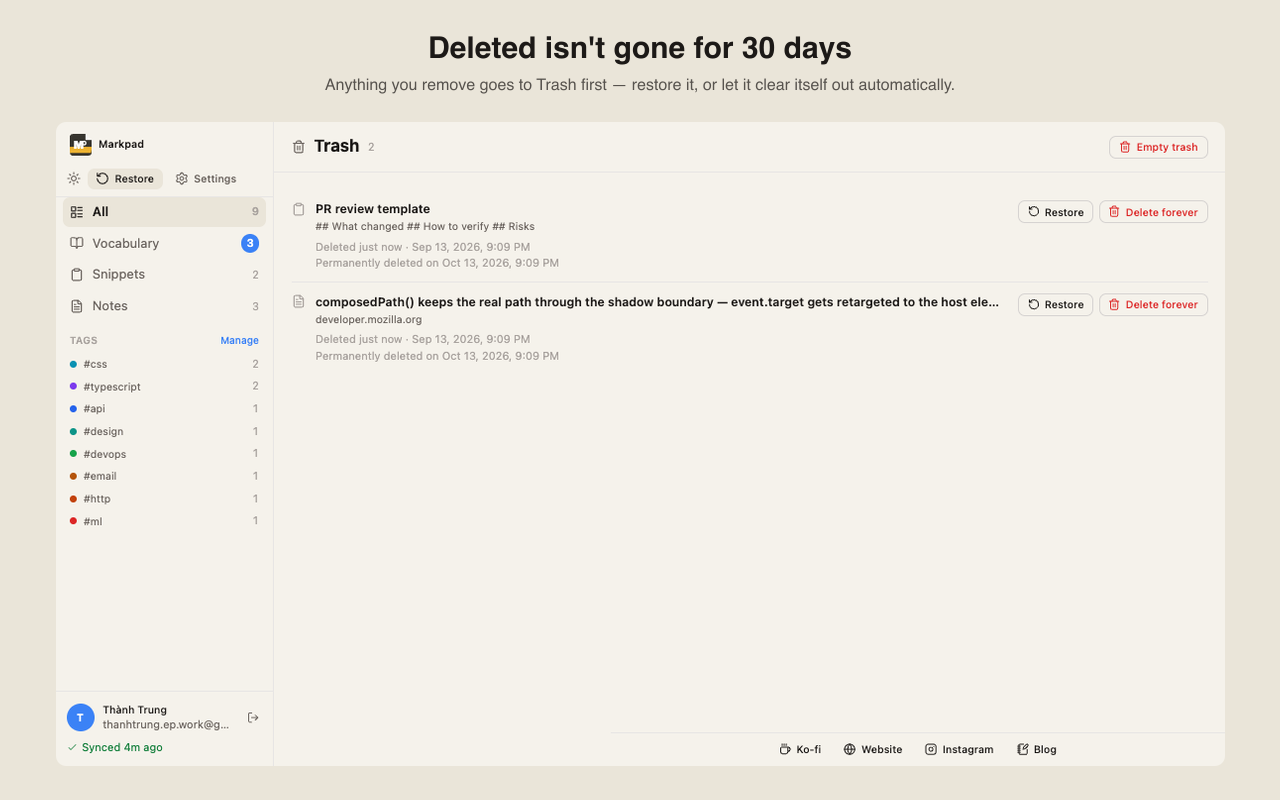
Long snippets and notes open in a real editor: Markdown and JSON highlighting, folding, and search. Saved the wrong thing? An Undo button sits right on the item you just saved. Tags are suggested — and can be added for you — from what you write, using on-device AI. Deleted items wait 30 days in Trash.
Every image below is a real capture of the current build — nothing here is drawn by hand.
No account required. No data harvesting. No vendor lock-in. Markpad respects your time and your stuff.
All data stays in your browser's local storage. Nothing is sent to any server unless you turn on Google Sync (Markpad Pro) — and you can switch it off and wipe the cloud copy any time.
Works without internet. Your snippets, terms, and notes are always one click away, even on planes, in tunnels, or in remote locations.
Google Sync across devices, 10,000 items per list and your full Today history. Free stays generous, and nothing you save is ever deleted if Pro ends. Pricing is announced at launch.
From install to daily-driver in under five minutes.
One-click install from Chrome Web Store. Markpad icon lives in your toolbar.
Right-click any text or use Ctrl+Shift+G/S/N to add to vocabulary, snippets, or notes.
Open popup, search across all 3 tabs with Ctrl+K, or expand snippets via #alias + Ctrl+Shift+K.
Markpad is free to use right now — no account, no credit card. Here is exactly what Free covers and what Markpad Pro will add. Pro pricing is announced when it launches.
| Feature | Free$0, forever | ProComing soon |
|---|---|---|
| SnippetsUsing Markpad since before the current limits? You keep 50. | 30 | 10,000 |
| Vocabulary terms | 300 | 10,000 |
| NotesUsing Markpad since before the current limits? You keep 100. | 50 | 10,000 |
| Feedback bonus | +3 / +30 / +5, once | — |
| Google Sync across devicesSnippets, vocabulary and notes, with your Google account. | — | ✓ |
| Sync Today's tasks | — | ✓ |
| Today history you can browseNothing is ever deleted — older weeks stay on your device. | This week + last week | All of it |
| Capture, translate, review, Pin Widget, Command Palette, export | ✓ | ✓ |
Every patch documented. Every change explained. Click a major version to expand its release notes.